SIMTEQ Newsletter 2025-Q1

Introduction
Events
Product of the month
News
New releases
Training

As we embark on a new year, we are thrilled to share some exciting events and opportunities that lie ahead.

Please note that we will not have Monthly newsletters, but Quarterly ones.

Get ready for some high-speed fun at our upcoming Annual Go-Kart Day, a fantastic opportunity to enjoy friendly competition and strengthen team bonds. We are also eagerly preparing for our Annual User's Conference, where industry leaders and users will come together to exchange ideas, network and explore the latest innovations.

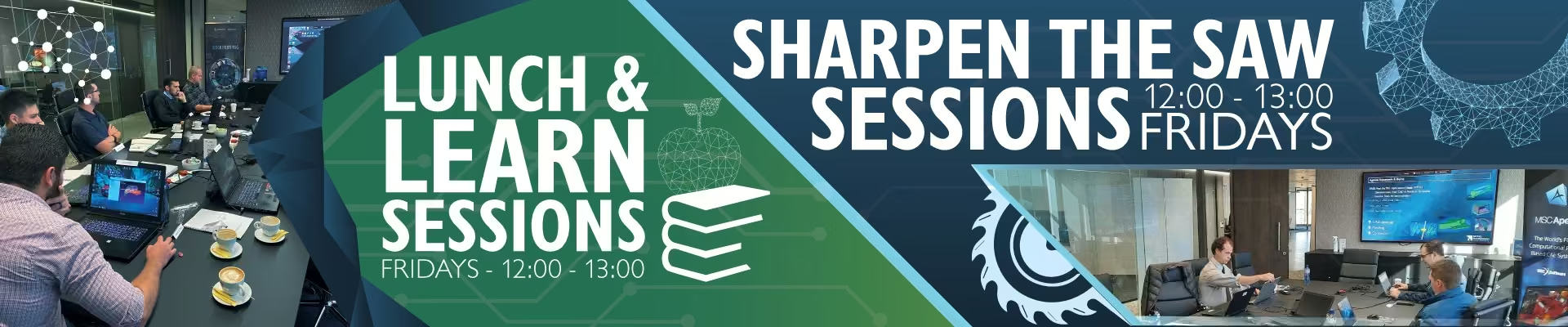
Your feedback is crucial to our continuous improvement, so please take a moment to complete our survey here. Additionally, don't miss our Sharpen the Saw and Lunch & Learn sessions, designed to provide you with valuable knowledge and skills to excel in your professional journey.

We look forward to your active participation in these events and appreciate your continued support.

​Let's make this quarter a remarkable one!

Best Regards

Regards

Managing Director

Go-Kart Day

Gear up and ignite your competitive spirit at our Annual Go-Kart Day, hitting the track on 17 May 2025 (09:00–12:00) at KartZone, Zwartkops Raceway!

This year, we’re taking the excitement up a gear with something extra special. Think high-speed thrills, fierce competition and unforgettable moments. Whether you’re a seasoned racer or a first-time driver, this is your chance to burn rubber and claim bragging rights.
Don’t miss out! Mark your calendars, fuel your competitive spirit and join us for a morning of adrenaline pumping action!

User's Conference

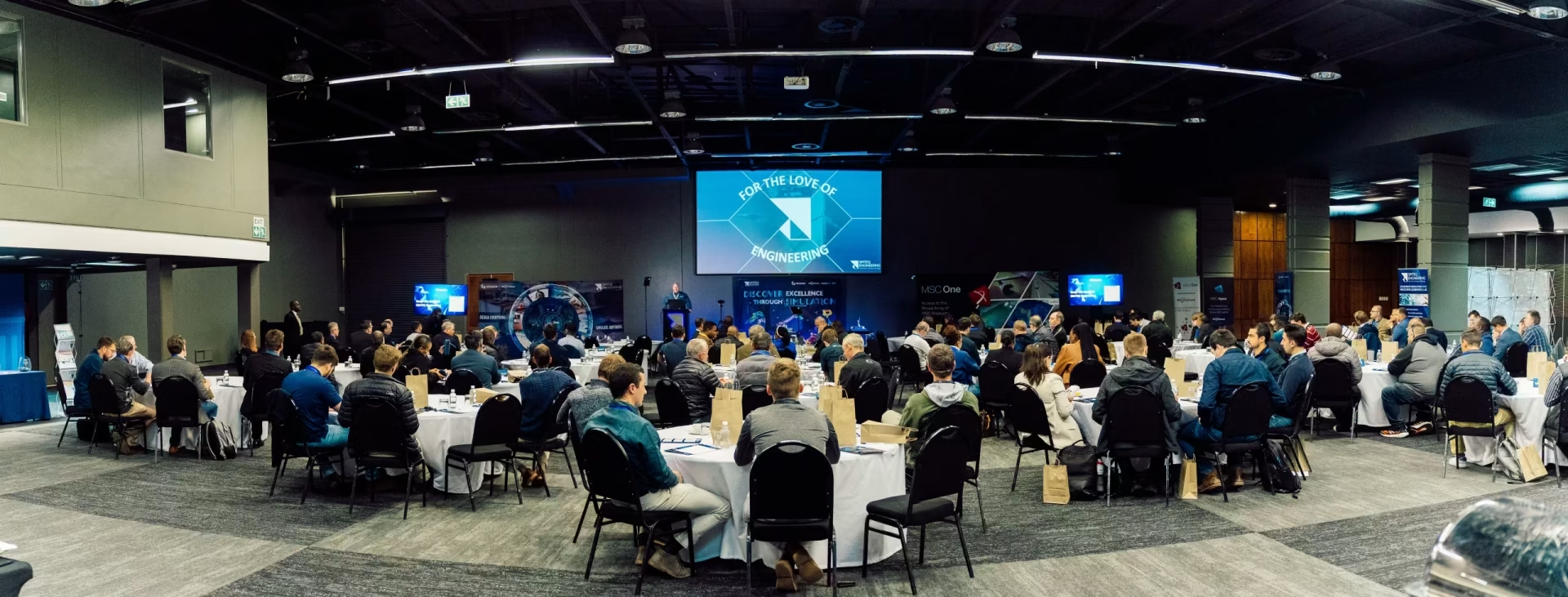
Join us for our highly anticipated Annual User’s Conference at the prestigious CSIR International Convention Centre on 30 July 2025! This premier event is your opportunity to gain cutting-edge insights, network with industry leaders and explore the latest innovations shaping our field. 

Take advantage of our Early Bird Special now, only R1800.00 per person (ex VAT), valid until 18 April 2025. Register today and be part of the conversation driving the future!

CAEfatigue

CAEfatigue is a powerful FE-based tool used to conduct durability analyses and it is an industry leader in the frequency domain.
Although CAEfatigue has a comprehensive set of tools to conduct durability analyses in the frequency domain, it also has all the tools to do the same in the time domain but much faster than its competitors.
CAEfatigue can do all the normal S-N, ε-N, spot weld and seam weld durability analyses, the different types of analyses can even be combined into a single analysis if the user requires it.

This however is just the tip of the iceberg in terms of the capabilities that CAEfatigue has to offer and some of the more advanced capabilities are:

  • Time to PSD
  • Random response and collision detection
  • Loads cascading
  • Test design and simplification
  • Surrogate loading
  • Loads tunning
  • Service loads derivation

One of the more recent additions to CAEfatigue that is not mentioned above is Robust Design.

Robust Design

This new technology allows the user to re-run multiple MSC Nastran jobs consecutively while changing the input parameters for each run, the outputs from these runs are used to create a correlation map of input parameters vs. outputs. This shows what effect each of the inputs has on the outputs.

This allows the user to make better design decisions based on a holistic view of how the model reacts under all inputs.

Other interesting additions that are also noteworthy:

Automatic Generation of Load Scenario using Time Histories

Various loading scenarios can be created automatically for a time-domain analysis, instead of having to create the loading scenarios manually.  This automation will prevent errors from occurring and will speed up the analysis setup. 

Multiaxial Stress Assement for Time Histories: 

If the user is unsure which analysis method to use in CAEfatigue because the loading is proportional or disproportional, the new multiaxial assessment capability will allow the user to check the level of multiaxiality in the stress output. Based on the level of multiaxiality the user can decide if standard analysis methods or a more accurate critical plane approach should be used.

Composite Material Outputs from Nastran are Supported:

CAEfatigue can now import the stresses from a Nastran composite material analysis (using PCOMP or PCOMPG entries). This expands the interoperability of CAEfatigue with MSC Nastran output results.

Airbus saves €3 million by replacing physical testing with Adams simulations

Airframes are designed to deflect in response
to aerodynamic and gravitational loads during flight. These deflections in turn load the mechanisms riding on the airframe that move the primary flight control surfaces to maneuver the aircraft. 

The airframe manufacturer must ensure that deflections of these mechanisms at any point in the flight envelope do not affect their operation.

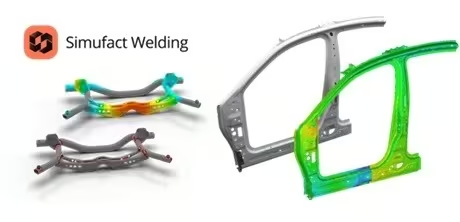
Simufact Welding 2025.1

Simufact Welding 2025.1 is now available at the Software Download Center.

Some of the Simufact Welding 2025.1 highlights include the following:

RPS Clamping simulation is now supporting holes as references (H Points)

  • What is it? H-type RPS can now be utilized with the Virtual Fixture.
  • What is in it for you? Most automotive sheet parts are positioned via reference points on the surface and in holes (H-type RPS). Therefore, this feature completes the necessary range of reference point definitions.

Extended RPS data model with designation areas/holes

  • What is it? RPS designations (surface areas and holes) are now introduced as a mandatory property of any RPS location
  • What is in it for you? RPS designations are very often defined as center of a specified surface (F-type) or a specified hole geometry (H-type). By considering these specifications, the Virtual Clamping moves closer to physical reality. The credibility will increase. 

Extended RPS data model fully supported by CSV import

  • What is it? The Python API now makes RPS data import via CSV possible. The RPS data input now also contains the user-specific label, point type, specified designation, and projection information.
  • What is in it for you? Transferring the RPS data into the Virtual Fixture using a CSV enables embedding into a highly automated workflow—from the CAD definition via metrology software to the Virtual Fixture. This strongly supports ease of use.

Upgrade to Simufact Welding 2025.1 and benefit from the new features that improve your daily work!

Click Here to learn about What’s New in Simufact Welding 2025.1.

Simufact Forming 2025.1

Simufact Forming 2025.1 is now available at the Software Download Center.

Some of the Simufact Forming 2025.1 highlights include the following:

Python API - now more powerful and tailored to your needs

  • What is it? Various new commands were added to the Simufact Forming Python API
  • What is in it for you? Additional automation capabilities to improve usability, including more flexible scripting options from pre- to postprocessing.

Expanded Material Database

  • What is it? More than 190 material data sets have expanded the material database.  All materials include forming limit parameters.
  • What is in it for you? Allows for easier and faster formability evaluation.

Further Improvements:

  • Free rotation of the manipulator during blows in radial forging process.
  • Spring properties for the tool “Mandrel” in Shell forging type 1.

Upgrade to Simufact Forming 2025.1 and benefit from the new features that improve your daily work!

Click Here to learn about What’s New in Simufact Forming 2025.1.

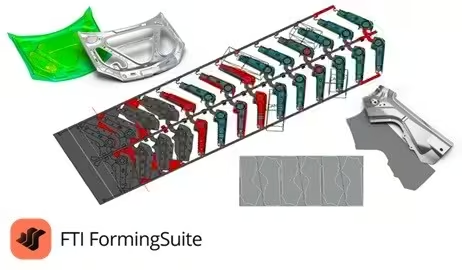
FormingSuite 2025.1

FormingSuite 2025.1 is now available at the Software Download Center.

Some of the FTI FormingSuite 2025.1 highlights include the following:

Hexagon Customer Experience Improvement Program (CEIP) 

  • What is it? Implemented a new system to capture error events and system metrics such as operating system, graphics info, performance, etc.
  • What is in it for you? Analytics information helps us identify areas to improve the software, fix common issues, and ensure that we support all common hardware and software platforms.  This will help us deliver a quality product that lets you focus on the task at hand.

Introduced "Beryllium" version of MSC License Manager

  • What is it? The client-side, internal license libraries have been updated, along with the server-side license host software, which will also need updating.
  • What is in it for you? Keeping up with the latest in security updates protects your systems and data from potential malicious attacks.

Modified TcPCM Data Export in Process Planner

  • What is it? This new release improves the handling of part and scrap features to eliminate duplicated data from exports.
  • What is in it for you? Better process data for direct import into Siemens TcPCM product cost management system.

Upgrade to FTI FormingSuite 2025.1 and benefit from the new features that improve your daily work.

Click Here to learn about What’s New in FormingSuite 2025.1.

Simufact Additive 2025.1

Simufact Additive 2025.1 is now available at the Software Download Center.

Look forward to the new highlights of Simufact Additive 2025.1, which include:

Advanced Scan Compensation

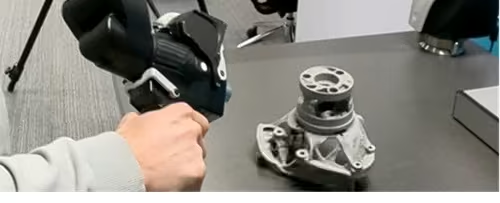
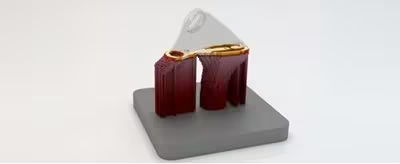
This innovative feature broadens the capabilities of additive manufacturing simulations, particularly for large, complex parts requiring tight tolerances. By integrating a simulation and scan-based hybrid approach, it enables accurate manufacturing on the second attempt, saving time and reducing costs associated with trial and error. The process involves importing and utilizing first-print scans to refine pre-deformed geometries, ensuring precise, advanced compensation. The workflow is user-friendly, incorporating a guided dialog to import scan files, select variants, and export morphed geometries. It effectively addresses the limitations of manual compensation, enhancing overall efficiency and accuracy.

We invite you to explore all new features in-depth at SimCompanion.

Enhancements in CAD import and mesh diagnostics

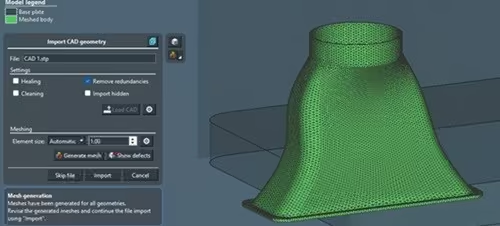
The updated GUI significantly enhances the user experience by providing easy access to Simufact mesh functionalities directly in the main view. This improvement allows users to seamlessly import, repair, and mesh geometries with a streamlined interface. It facilitates the early identification and repair of geometrical defects, offering advanced settings that are accessible even to new users. The feature also enables the comparison of meshed parts with original CAD geometries, helping to identify and resolve issues efficiently. By separating CAD translation from meshing, it accelerates the process and allows for more precise control over meshing parameters.

Enhancements in LPBF Simulations

This feature addresses the challenge of overheating during the build stage, which can lead to defective parts. By introducing a thermal adaptation module, it calculates individual layer (pause) times to manage part temperature effectively, ensuring the metallurgic quality of the part. Users can set a global temperature threshold, allowing the simulation to automatically adjust layer times, optimizing the build process without unnecessarily extending build time. Additional improvements include mesh coarsening support during the HIP stage, ensuring that subsequent steps such as cutting and heat treatment are performed with accurate residual stress descriptions, enhancing the stability and quality of simulations.

Please note, to use Simufact Additive 2025.1, it is essential to update your MSC License Manager to the "Beryllium" version released in January 2025. Ensure you have an updated license file, which can be requested from your local Hexagon sales representative.

Upgrade to Simufact Additive 2025.1 and benefit from the new features thatimprove your daily work!

Click Here to learn about What’s New in Simufact Additive 2025.1.

SIMTEQ Engineering Webinar
Contact and Everything That you Need to Know About it
7 October 2022
11:30 - 12:30

Contact and Everything
That you Need to Know About it

Registration
Training

ADM701 - Complete Multibody Dynamics Analysis with Adams

Software Package: Multibody Dynamics

Price: R 20 265.00/p excl VAT

Date: 09 - 11 April 2025

Duration: 5 Days

CPD Accredited: Yes

More Information
Registration

STU701 - Structural Mechanics

Software Package: Structural Mechanics

Price: R 8 085.00/p excl VAT

Date: 15 & 16 April 2025

Duration: 2 Days

CPD Accredited: Yes

More Information
Registration

ADM740 – Vehicle Modelling and Simulation using Adams Car

Software Package: Adams Car

Price: R 20 265.00/p excl VAT

Date: 05 - 09 May 2025

Duration: 5 Days

CPD Accredited: No

More Information
Registration

FEA101 - Finite Element Analysis Fundamentals - 5 Days

Software Package: Apex & Nastran

Price: R 8 085.00/p excl VAT

Date: 19 - 23 May 2025

Duration: 5 Days

CPD Accredited: Yes

More Information
Registration
Sharpen the Saw OR Lunch & Learn Sessions
starcrossmenulistchevron-down linkedin facebook pinterest youtube rss twitter instagram facebook-blank rss-blank linkedin-blank pinterest youtube twitter instagram