Some Motivation: Why We Are Engineers:
VIDEO
Basic Actions of Problem Solving:
Understanding the problem
Simulation can be very useful to help understand what factors are important.
Generate possible solutions to the problem
The solutions that the designer can come up with are very dependent on the designer's experience and knowledge.
Evaluate solutions
Simulation can provide very valuable insights during design evaluation.
Decide which solution is best.
The designer must perform comparisons between problem formulation and design evaluation results.
Inverse Kinematics Using Adams:
Digital reverse engineering
Drive 0 DOF mechanisms and measure the forces required to cause motion.
Forward Kinematics Using Adams:
Design Evaluation
Replace ideal motions and find the actual performance of the mechanism.
Design Updates to Door:
Model Updates:
Make a rigid door flexible
Contact between the wall and the door
Contact between the door and the doorstopper
Ideal door opening motion
Parameterise the door model
Why Add Flexible Parts to Your Models:
Better loading predictions
The flexible component is the focus
Question: What is the system doing to my component?
Improved model fidelity
Model performance is the focus
Question: What is the flexible component doing to my system?
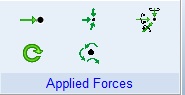
Forces in Adams:
Single Component Force
Runtime direction
Action only
Single-Component Torque
Runtime direction
action only
Torque vector
Force Vector
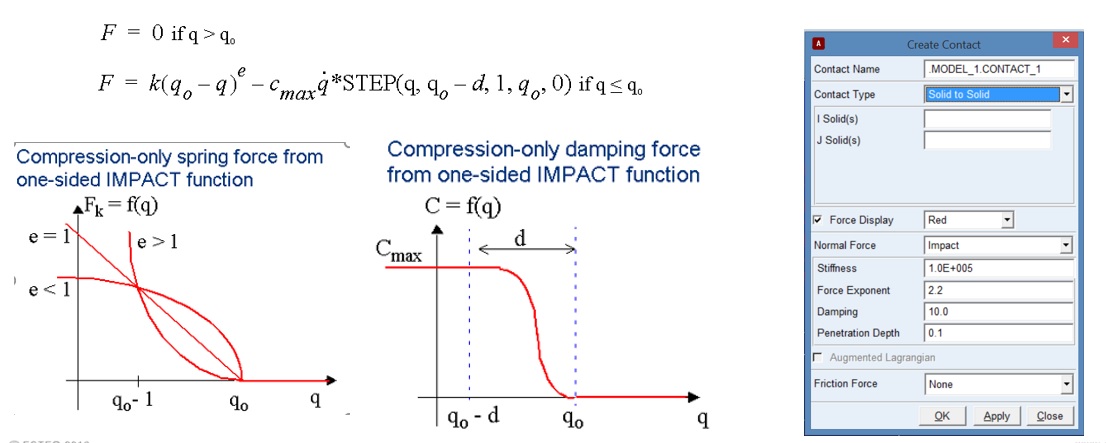
General ForceImpact Contact in Adams:
Ideal rigid body contact:
Infinitely stiff
No damping
Impact contact uses a penalty method to approximate ideal rigid body contact.
Nonlinear stiffness
Linear damping with displacement-based smoothing function
Use Hertz contact to approximate contact stiffness.
For damping, ensure that contact bodies penetrate sufficiently to reach the specified Cmax.
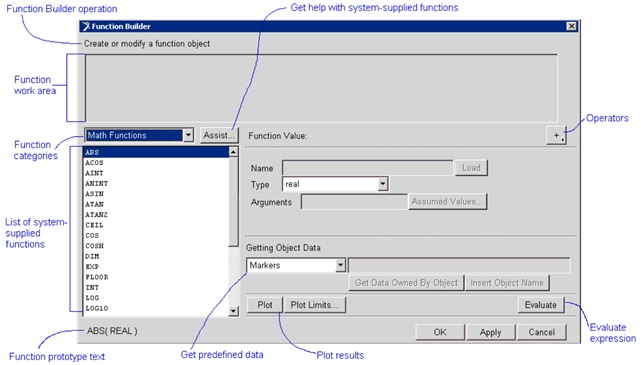
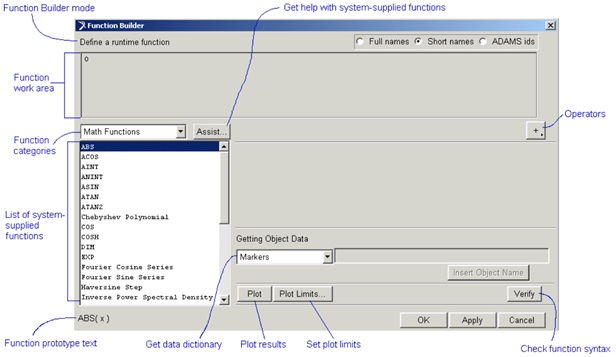
Function Builder Overview:
Function builder is used to help the user define mathematical functions in Adams.
There are two function builder modes, and the functions the user has access to depend on the current mode.
Expression mode: Used for parameterisation and design study functions.
Run time mode: Used to define functions that are evaluated during a simulation.
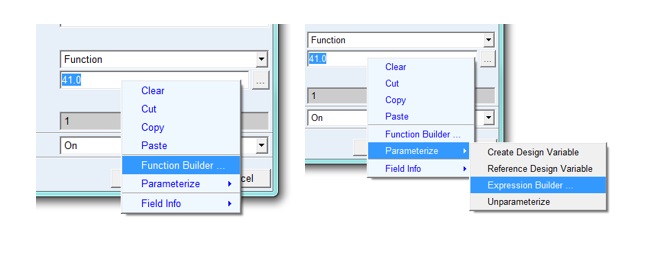
To access the function builder:
In runtime mode
Right-click and select 'function builder'.
Use the '...' button
In expression mode
Right click -> parameterise -> expression builder
Getting help with functions:
Read the function description at the bottom of the function builder
Adams/Solver help -> functions
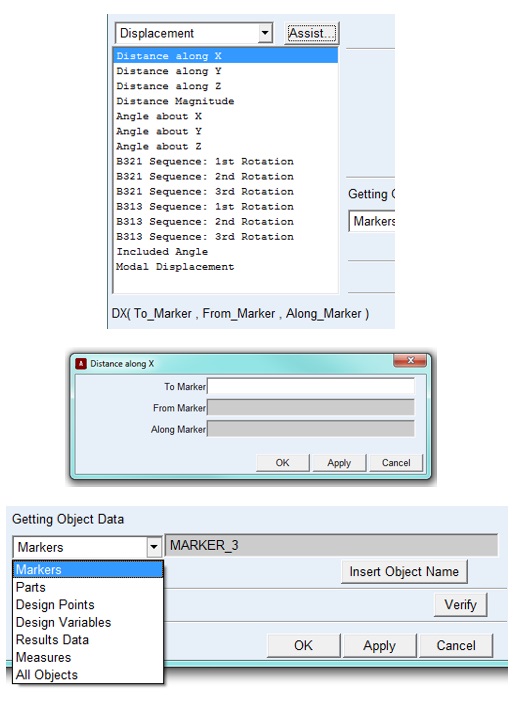
Populating function requirements:
Type in required values
Use the assist feature
Insert object data tool
Important information:
Adams is not case sensitive on Windows.
To specify powers use '**' (e.g. 2^2 = 2**2 in Adams)
Simulation time = time
Pi = pi
Adams solver assumes radians unless otherwise specified.
Troubleshooting functions:
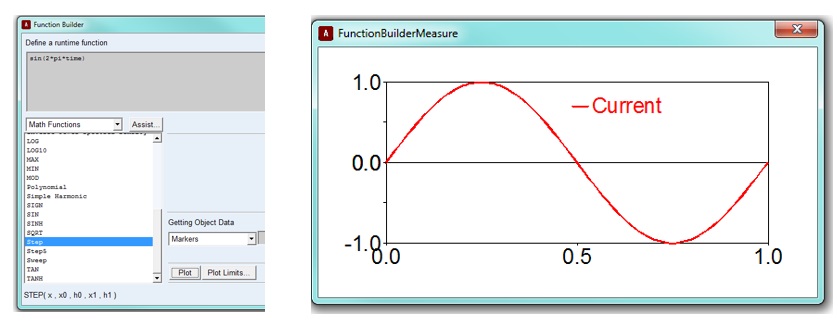
Use verify to check function syntax
Use the plot feature to ensure the function produces the intended results
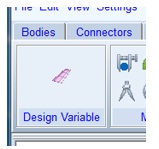
Design Variables:
Define independent parameters that can be tied to objects
Used during DOE's and optimisation studies
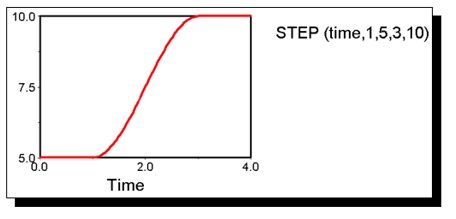
Step Function:
Approximates an ideal mathematical step
Used to switch quantities on or off
Syntax:
Step(x, x1, y1, x2, y2)
x - independent variable
x1 - initial value of the independent variable
f1 - initial step function value
x2 - final value
f2 - final step function value
Note: x1 < x2
Spline Functions:
The model may require the use of a catalogue or test data:
Empirical data from suppliers:
Nonlinear compliances
Curves for torque vs. motor speed
Measured data:
accelerometer data
Tyre lateral force is a function of lateral slip
This data can be incorporated using a spline and one of the two interpolation functions:
Cubic-fitting method: CUBSPL
Akima-fitting method: AKISPL
The Akima spline function:
Syntax: AKISPL(x, z, spline, iord)
x - Independent variable
z - Optional second independent variable (set to 0 if not used)
Spline – Name of spline containing the required characteristic
iord – order of the interpolated point (usually = 0)
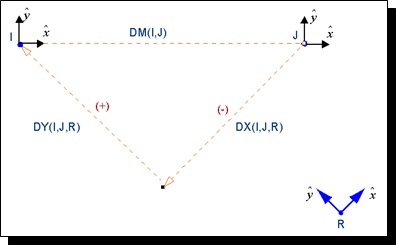
Displacement Functions:
Sensors and Simulation Scripts:
Deactivating a joint based on its reaction force by using a sensor and a simulation script.
VIDEO
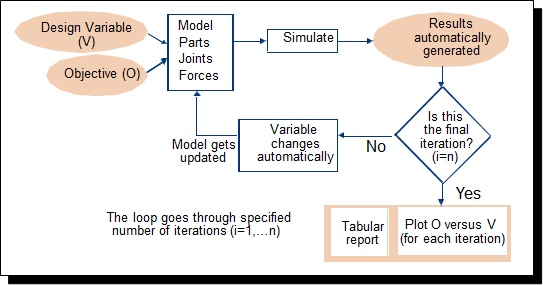
Design Studies:
Trial and error method:
Design Study:
Back to Lecture Index