SIMTEQ Newsletter 2026-Q4

Introduction
Events
Product of the month
News
New releases
Training

As we head into the final stretch of 2026, we reflect on a rewarding quarter shaped by the achievements, collaboration and shared progress of our customers and partners.

Our SIMTEQ User Conference was a great success, bringing together customers, partners, and industry professionals for valuable technical discussions, knowledge sharing, and networking. We also had the opportunity to connect with the wider engineering community at Electra Mining Africa and Africa Aerospace and Defence (AAD), both of which provided valuable insight into the challenges, technologies, and opportunities shaping industry. 

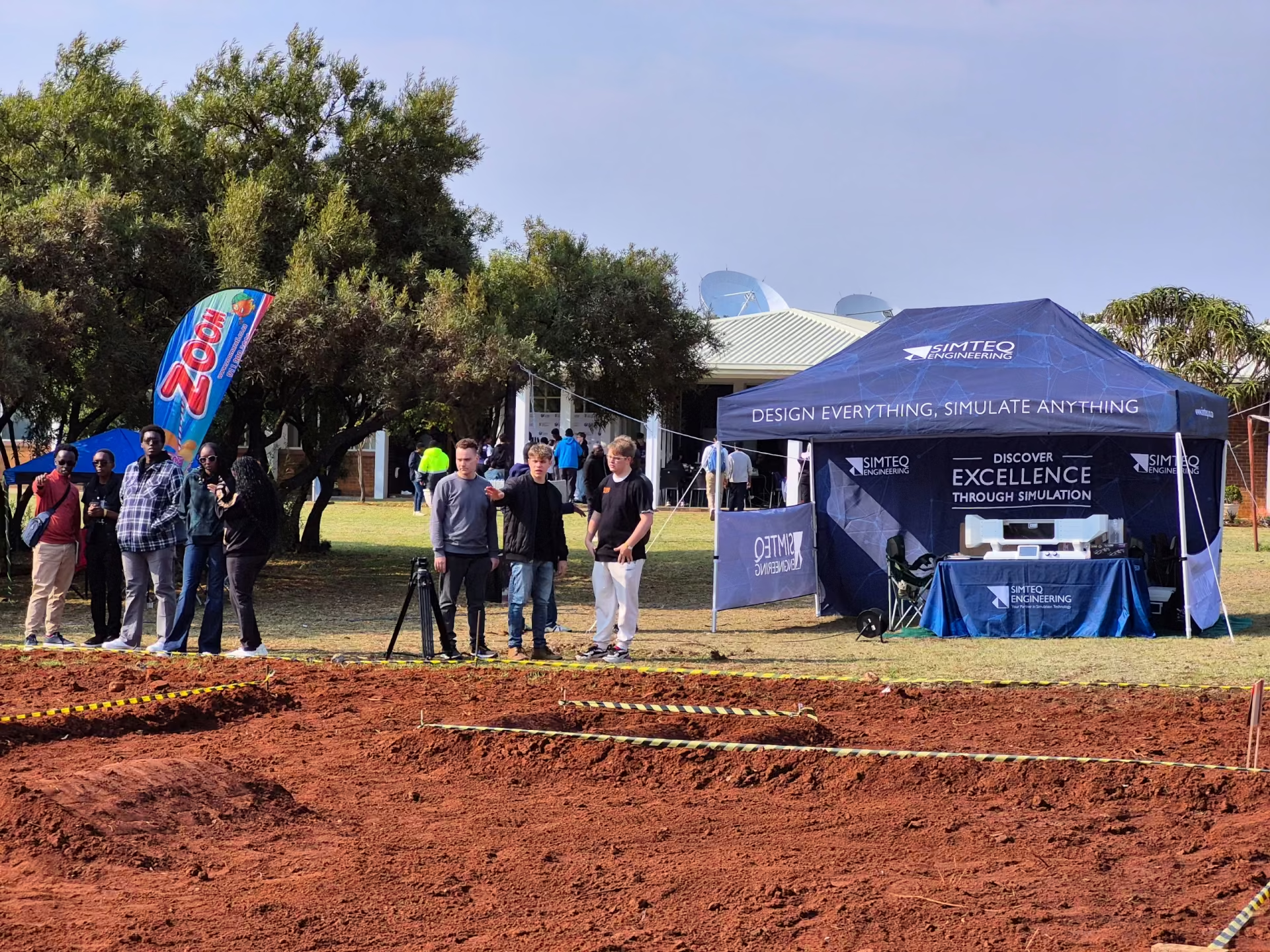
On 19 September, SIMTEQ Engineering also attended Cars4Mars at the South African National Space Agency (SANSA), where we had the opportunity to see impressive student-built Mars rovers in action. It was encouraging to see young engineers applying their knowledge and creativity to real engineering challenges. Congratulations again to the Launch Stage winners: Vulcan from Kenya, Wall-E from South Africa, and Cyberstorm from Zimbabwe.

 And the year is not over yet. 

We are looking forward to TCC26, where SIMTEQ Engineering will be exhibiting on 19 November 2026 at the Future Africa Campus in Pretoria and again on 24 November 2026 at the Lord Charles Hotel in Somerset West.

We will also be attending SFSA (Science Forum South Africa) 2026 from 2–4 December, giving us another opportunity to connect with the science, technology and innovation community before the year comes to a close.

We look forward to connecting with customers, partners, researchers, and fellow engineers at these upcoming events. If you are attending, be sure to stop by and say hello.

Best Regards

Managing Director

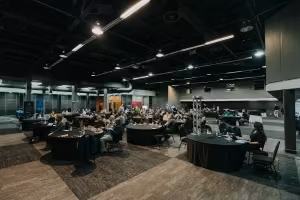
SIMTEQ Users' Conference 2026

Our Annual Users’ Conference on 17 June brought customers, engineers, and the SIMTEQ team together to share how simulation is being used to solve practical engineering problems.

We enjoyed the technical presentations, the exchange of ideas, and the opportunity to reconnect with our users.

Thank you to everyone who presented, attended, and helped make the day a success.

Read More...

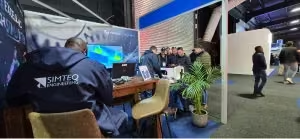
Electra Mining Africa 2026

Looking back at Electra Mining Africa 2026, SIMTEQ Engineering enjoyed the opportunity to connect with engineers, manufacturers, and industry professionals at the Johannesburg Expo Centre.

The event gave us valuable insight into the challenges and technologies shaping the mining and industrial sectors while providing a great platform to discuss how engineering simulation can support smarter design, improved performance, and reduced risk.

See you in 2028!

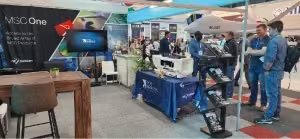
AAD 2026

Looking back at Africa Aerospace Africa (AAD) 2026, SIMTEQ Engineering had the opportunity to connect with professionals from across the aerospace, defense, and advanced engineering sectors.

The event provided a valuable platform to explore new technologies, exchange ideas, and discuss how simulation can support the development of safer, more efficient, and higher-performing engineering solutions.

See you in 2028!

CAEfatigue

CAEfatigue is a powerful FE-based tool used to conduct durability analyses and it is an industry leader in the frequency domain.
Although CAEfatigue has a comprehensive set of tools to conduct durability analyses in the frequency domain, it also has all the tools to do the same in the time domain but much faster than its competitors.
CAEfatigue can do all the normal S-N, ε-N, spot weld and seam weld durability analyses, the different types of analyses can even be combined into a single analysis if the user requires it.

This however is just the tip of the iceberg in terms of the capabilities that CAEfatigue has to offer and some of the more advanced capabilities are:

  • Time to PSD
  • Random response and collision detection
  • Loads cascading
  • Test design and simplification
  • Surrogate loading
  • Loads tunning
  • Service loads derivation

One of the more recent additions to CAEfatigue that is not mentioned above is Robust Design.

Robust Design: 

This new technology allows the user to re-run multiple MSC Nastran jobs consecutively while changing the input parameters for each run, the outputs from these runs are used to create a correlation map of input parameters vs. outputs. This shows what effect each of the inputs has on the outputs.

This allows the user to make better design decisions based on a holistic view of how the model reacts under all inputs.

Other interesting additions that are also noteworthy:

Automatic Generation of Load Scenario using Time Histories: 

Various loading scenarios can be created automatically for a time-domain analysis, instead of having to create the loading scenarios manually.  This automation will prevent errors from occurring and will speed up the analysis setup. 

Multiaxial Stress Assement for Time Histories: 

If the user is unsure which analysis method to use in CAEfatigue because the loading is proportional or disproportional, the new multiaxial assessment capability will allow the user to check the level of multiaxiality in the stress output. Based on the level of multiaxiality the user can decide if standard analysis methods or a more accurate critical plane approach should be used.

Composite Material Outputs from Nastran are Supported:

CAEfatigue can now import the stresses from a Nastran composite material analysis (using PCOMP or PCOMPG entries). This expands the interoperability of CAEfatigue with MSC Nastran output results.

VTX-200 Educational Desktop Wind Tunnel

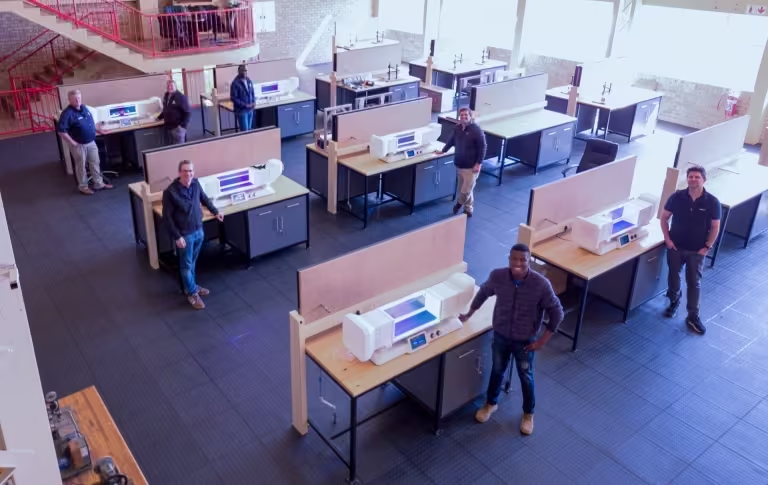
The VTX-200 educational desktop wind tunnel, developed by SIMTEQ, is a huge hit with universities, especially after the latest upgrades.

The Northwest University (NWU) has bought 5 units for their practicals laboratory and now uses them in the School of Mechanical and Electromechanical Engineering. The system is used in practicals for INGM 324 (Fluid Mechanics II) and INGM 412 (Heat Transfer), as well as laboratory work for undergraduate student projects, supporting approximately 150 students per year at the undergraduate level. They use it for investigating boundary layer theory work (principles of lift and drag on various objects, flow separation, etc.), principles of convective heat transfer, and dimensional analysis on aerodynamic shapes.

The VTX-200 provides students with practical exposure to aerodynamic principles and wind-tunnel experimentation, helping to connect theoretical engineering concepts and computational analysis with physical experimentation. Through its use, students can observe aerodynamic phenomena and conduct practical measurements, supporting the development of engineering judgment and an understanding of the relationship between analytical, numerical, and experimental methods. At NWU they claim that the VTX-200 has specifically enabled them to individualize practicals (i.e., let each student set up, perform, and analyze the practical by themselves), improve visualizations for difficult concepts, and allow students user-friendly access to advanced laboratory tools.

“The VTX-200 provides students with practical exposure to aerodynamic principles and wind-tunnel experimentation, helping to connect theoretical engineering concepts and computational analysis with physical experimentation," said Prof. Attie Jonker, Director: School of Mechanical and Electromechanical Engineering, North-West University.

Read More...

Subscribe to our SIMTEQ Labs YouTube channel.

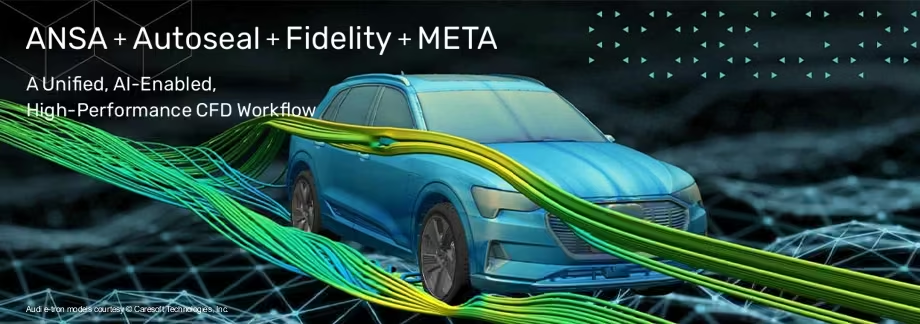
Coming Soon to MSCOne: ANSA and META – Expanding Your Simulation Possibilities!

MSCOne customers have something exciting to look forward to!

The powerful ANSA and META pre- and post-processing solutions from BETA CAE Systems (acquired by Cadence prior to also acquiring Hexagon Design & Engineering, aka MSC Software) will soon be added to the MSCOne product portfolio, giving existing users access to an even broader range of advanced simulation capabilities.

For engineers already familiar with MSC Apex, Patran and MSC Nastran, ANSA and META offer exciting opportunities to explore new approaches to finite element model preparation, advanced meshing, complex assembly management, results evaluation and workflow automation.

Read more...

Cars4Mars

Looking back at Cars4Mars 2026, it was a pleasure to see students from across Africa put their rover designs to the test at SANSA on 19 September.

SIMTEQ Engineering was proud to support the teams with simulation software and custom trophies, celebrating the creativity and practical engineering skills behind their efforts.

Revisit the highlights and learn more about SIMTEQ’s involvement.

SIMTEQ Trivia Questions

Stand a chance to win a prize by answering a question in every newsletter this year about SIMTEQ, MSC Software and simulation technology.

Enter Here

Adams Modeler 2026.1

We’re pleased to announce the release of Adams Modeler 2026.1, which is now available for download. This release includes the following updates:

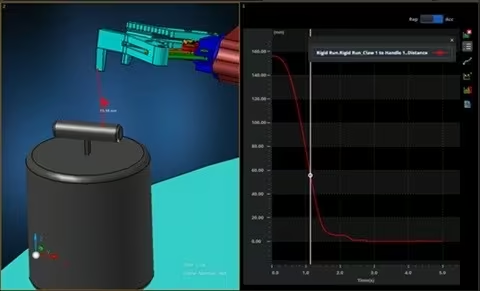
  • Support clearance sensor: Utilize the sensor object in post-processing to measure the gap between bodies over time.
  • Differentiate between activated and deactivated objects in the graphics window: The new color scheme darkens the deactivated components, making them visible and easy to identify while they remain deactivated.
  • Import option to delay mass calculation: Allow the calculation of mass properties to be deferred until the user wishes to update them.
  • Info window enhancement inspired by Adams View: Allow users to shift the focus of info to parent/child(or related) objects.
  • New solver settings interface: Have access to the same structured solver settings available in Adams View.

For a full list of capabilities, please refer to the Adams Modeler 2026.1 release guide available from the Software Download Center.

How to get it:

Adams Modeler 2026.1 can be downloaded from the Software Download Center.

Resources:

We appreciate your continued partnership and feedback, which helps us improve and evolve our products. If you have any questions or need assistance, our support team is here to help.

For support options, please visit our Customer Support site on SimCompanion.

For problems with your login to the SDC, use our Password Finder.

Click Here to update your email communication preferences

Romax DT 2026.1

We are pleased to announce the release of Romax DT 2026.1, now available for download. This release introduces a preview of Static Analysis (2nd Generation), a major milestone in the evolution of Romax and the foundation for the next generation of drivetrain simulation. The release also includes PWM sideband analysis, an automated Maxwell interface for electric machine NVH, and a range of additional enhancements and usability improvements across the Romax portfolio.

Highlights of This Release:

  • Static Analysis (2nd Generation) – Preview: Available as a Preview feature in this release, Static Analysis (2nd Gen) is a complete modernization of the Romax analysis engine, introducing a new platform-independent architecture with advanced numerical solvers and updated mathematical models. Designed for large, complex, multiphysics drivetrain models, it delivers improved scalability, memory efficiency, and hardware utilization.
  • Frequency-Domain Import of Electric Machine Excitations: Direct import of electric machine excitations in the frequency domain, enabling greater workflow customization and evaluation of PWM effects on motor vibration.
  • Automated Ansys Maxwell Interface for eNVH Optimization: Bi-directional coupling between Romax driveline and Ansys Maxwell electric machine simulations, allowing Romax to automatically update models, execute simulations, and access results for integrated, automated, end-to-end variability and sensitivity studies.
  • Accelerated External Dynamic Condensation Using MSC Nastran: Export/import MSC Nastran dynamic condensation solutions for surface nodes only, reducing FE.op4 file sizes by up to 90% and part condensation times by up to 70%.

For a full breakdown of what’s included in the release, please refer to SimCompanion.

How to get it:

Download Romax DT 2026.1 from the Software Download Center.

Resources:

We appreciate your continued partnership and feedback, which help us improve and evolve our products. If you have any questions or need assistance, our support team is here to help.


For support options, please visit our Customer Support site on SimCompanion.

For problems with your login to the SDC, use our Password Finder.

Click Here to update your email communication preferences.

Actran 2026.2

Cadence is proud to announce Actran 2026.2. This release adds new multi-layer meshing features, a new FWH workflow for far-field noise prediction from CFD data, and powerful GPU support, and enhances the radiosity solver and Virtual SEA vibroacoustics capabilities, among many other improvements.

New Capabilities:

  • Multi-Layer Meshing: Quickly and easily create multi-layer meshes with a new wizard in the Actran pre-processor. Import mesh sizes and properties from standard JSON configurations and optimize each mesh layer with a range of parameters.
  • FWH workflow for far-field noise prediction from CFD: Automate end-to-end far-field noise prediction from porous CFD surface data to acoustic results in a single, guided workflow.
  • New GPU Capabilities: Solve models in GPU memory much faster with an NVIDIA GPU direct solver suitable for FE direct frequency-response, green, pellicular, and equivalent-boundary-condition analyses. In addition, Actran 2026.2 supports the Millennium M2000, providing fast acoustic computations that take advantage of the latest NVIDIA GPU technology.

Enhancements:

  • Radiosity Enhancements:  Account for fluid damping more easily by including atmospheric damping of surrounding fluid in Actran radiosity models and simplify exterior-to-interior noise transmission modeling by using surface pressure excitation data for panel components. 
  • Improved Virtual SEA Vibroacoustics: A new hybrid FE-SEA formulation for fluid-structure coupling loss factors improves high-frequency vibroacoustic accuracy without sacrificing performance.
  • Quick Bug Reporting and Enhancement Requests: Report bugs or request product improvements directly from the Actran pre- and post-processor with a simple button in the help menu that auto-populates an email that you can send directly to support. 

For a full breakdown of what’s included in the release, please refer to SimCompanion 

How to get it:

Download Actran 2026.2 from the Software Download Center.

Resources:

We appreciate your continued partnership and feedback, which help us improve and evolve our products. If you have any questions or need assistance, our support team is here to help.

For support options, please visit our Customer Support site on SimCompanion.

For problems with your login to the SDC, use our Password Finder.

Click Here to update your email communication preferences.

CAEfatigue 2026.1.2

CAEfatigue 2026.1.2 Patch brings you a patch with usability enhancements, solver improvements, and important fixes.  

Highlights 

  • Improved Material Data Management: Enhanced material database management capabilities include filtering materials, organizing folders, and providing database conversion.
  • Streamlined Nastran Workflow Integration: Import Nastran element sets (SET and FSET3) directly into the user group tree to easily split model groups for quick material property allocation or to differentiate model parts.
  • Compact Output for Sine Sweep Analysis: Simplify frequency-domain durability review and interpretation using aggregated sine-sweep results.
  • Improved Solver Interoperability: Output solver meshes in H3D format for easier post-processing and visualization.
  • Expanded Weld Fatigue Analysis Support: Perform Volvo-Chalmers seam-weld fatigue assessments with 2D linear and nonlinear transient analyses.
  • Increased Stability and Usability: This patch resolves issues of documentation access with proxy settings, PSD visualization with external files, pseudo-damage analysis with user database materials, control-file generation with material VTABRND, and CSV exports when titles contain commas.

This patch is recommended for all users who would benefit from the latest solver enhancements and stability improvements.  

For a full breakdown of the enhancements in the release, please refer to SimCompanion

How to get it:

Download CAEfatigue 2026.1.2 Patch from the Software download center.

Resources:

We appreciate your continued partnership and feedback, which help us improve and evolve our products. If you have any questions or need assistance, our support team is here to help.

For support options, please visit our Customer Support site on SimCompanion.

For problems with your login to the SDC, use our Password Finder.

Click Here to update your email communication preferences.

SIMTEQ Engineering Webinar
Contact and Everything That you Need to Know About it
7 October 2022
11:30 - 12:30

Contact and Everything
That you Need to Know About it

Registration
Training

scFLOW - CRA301 - Introduction to scFLOW

Software Package: CradleCFD

Price:R 12 780.00/p excl VAT

Date: 23-25 November 2026

Duration: 3 Days

CPD Accredited: No

More Information
Registration

scSTREAM - CRA202 - scSTREAM Basic (Electronics)

Software Package: CradleCFD

Price:R 8 500.00/p excl VAT

Date:26 - 27 November 2026

Duration: 2 Days

CPD Accredited: No

More Information
Registration

ADM701 - Complete Multibody Dynamics Analysis with Adams

Software Package: Multibody Dynamics

Price: R 21 300.00/p excl VAT

Date: 30 November - 04 December 2026

Duration: 5 Days

CPD Accredited: 5 Points

More Information
Registration

FEA101 - Finite Element Analysis Fundamentals

Software Package: MSC Apex & MSC Nastran

Price: R 21 300.00/p excl VAT

Date: 07 - 11 December 2026

Duration: 5 Days

CPD Accredited: 5 Points

More Information
Registration

CAEFatigue—Theory and Practical
Fatigue Analysis using CAEFatigue

Software Package: CAEfatigue

Price: R  12 159.00/p excl VAT

Date: 17 - 19 November, 2025

Duration: 3 Days

CPD Accredited: No

More Information
Registration
Sharpen the Saw OR Lunch & Learn Sessions

In case you missed it, view all our past sessions on our YouTube Channel.

Subscribe to our YouTube channel to view our previous sessions.

starcrossmenulistchevron-down
linkedin facebook pinterest youtube rss twitter instagram facebook-blank rss-blank linkedin-blank pinterest youtube twitter instagram